
1.14.0.5
Coherent HB for UE4
A modern user interface library for games
Hummingbird supports triggering Custom Events defined in Blueprints. The event must be declared in the Blueprint that contains the UHummingbirdComponent component. To use this functionality, simply right click on the Event Graph and choose Add Event -> Custom Event from the menu. Name the event and add the necessary input arguments, if any. Let's have the event CreateCharacter which takes the character's name as only argument. Here is how the custom event looks in the Blueprint editor:
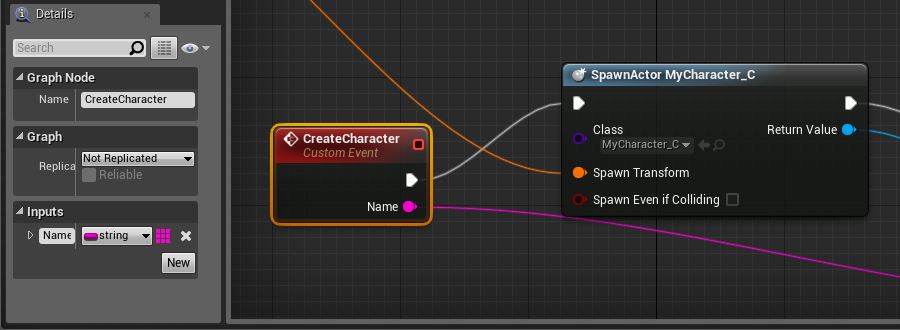
Now you can trigger this event from your UI like this:
engine.trigger('CreateCharacter', 'Joe Monster');
Hummingbird will automatically trigger the custom event with its argument from JavaScript. Please note that currently only primitive types are supported as arguments - bool, byte, int, string, float.